Hello,
Has anyone upgraded to 6.0? If yes, what is your experience with it?
Thank you.
Hello,
Has anyone upgraded to 6.0? If yes, what is your experience with it?
Thank you.
So far, so good. Clients updated fine to the new service version.
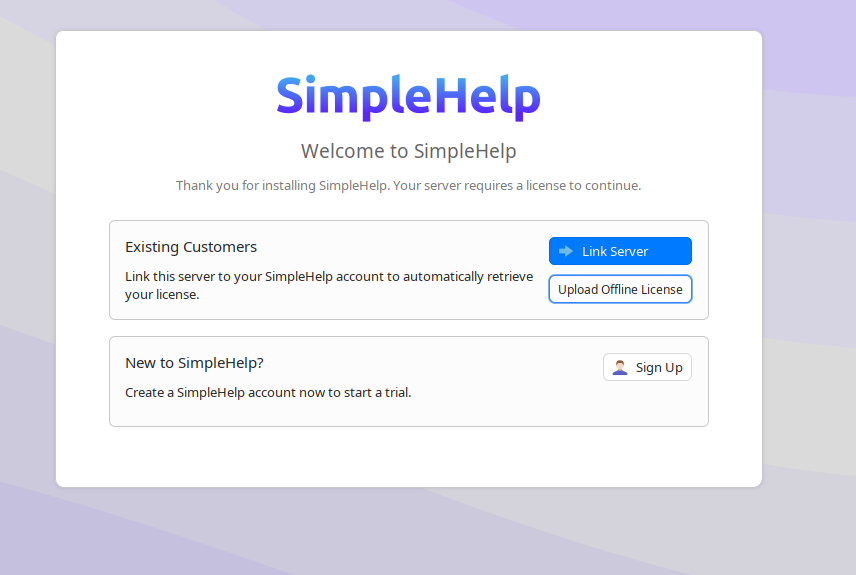
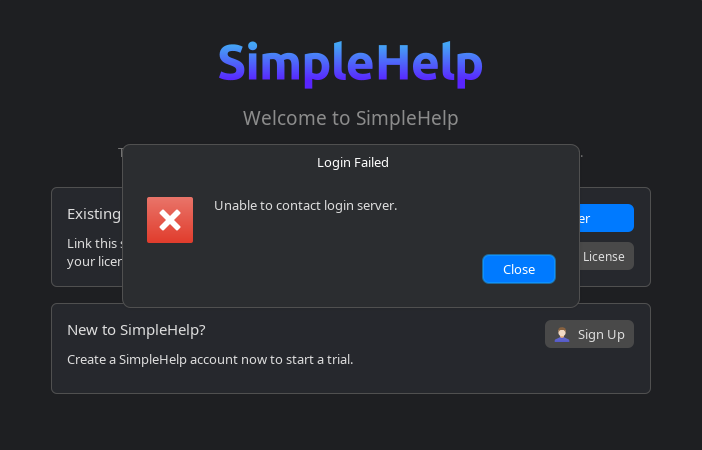
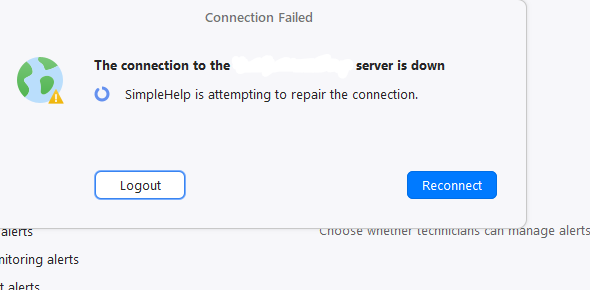
I just did and my system is broken now. Tech client is stuck at this page and nothing works to proceed
Same for me. It gave me a code to get the new license but it only shows v5 in my account. Sent an email to support to get the new one. I get a ‘too many redirects’ when using their links so I sent an email [email protected] to request it.
Fortunately I run this in a VM and reverting to a snapshot made v5 work normally until I get this resolved.
I run mine in a VM too so could roll back. I choose to reach out to support instead. It appears that on a ubuntu / ubuntu based distro, there is a known bug. She said that I could read that in the checkbox when I downloaded v6. But I use script on server to update so wasn’t even on the web site. Anyways, she had to change something on my SH account then v6 or later showed on the site and I was able to generate a license and now its working. Offline license needs to be manually updated every quarter or so I think. But she also said that this issue will be fixed in version 6.1… Sad to see that SH treats linux this way. Ubuntu is one of the most popular distros so releasing a stable update that breaks linux doesn’t make me feel very happy
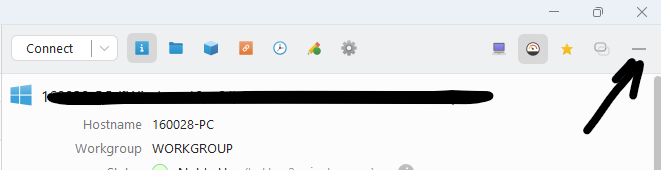
I clicked the - as a logged in user.
Last column disappeared and couldn’t get it back
If there is a simple way I haven’t yet found it
No issues with the upgrade. Very disappointed about the $1 end point add on for the AI feature. Seems like a bad step toward changing all of the features and cutting them up in addons like many other tools.
I hope this never becomes the case.
Hi two major problems…
1 - Changed default v5 simplehelpadmin user as suggested but now I cannot activate MTA one time code via auth app, always get a notification saying “Alert - server configuration changed - was unable to process the configured action”.
So it seems I went from a “more safe” old version V5 to a “not so safe” newer version V6!!!
2 - All the mac os machines have gone from a green/controllable icon to a grey/command line icon with no way to access them… As they are 5000 km from me physically installing each one is out of the question! So my question is: How can I resolve this???
To sum up NOT GOOD!
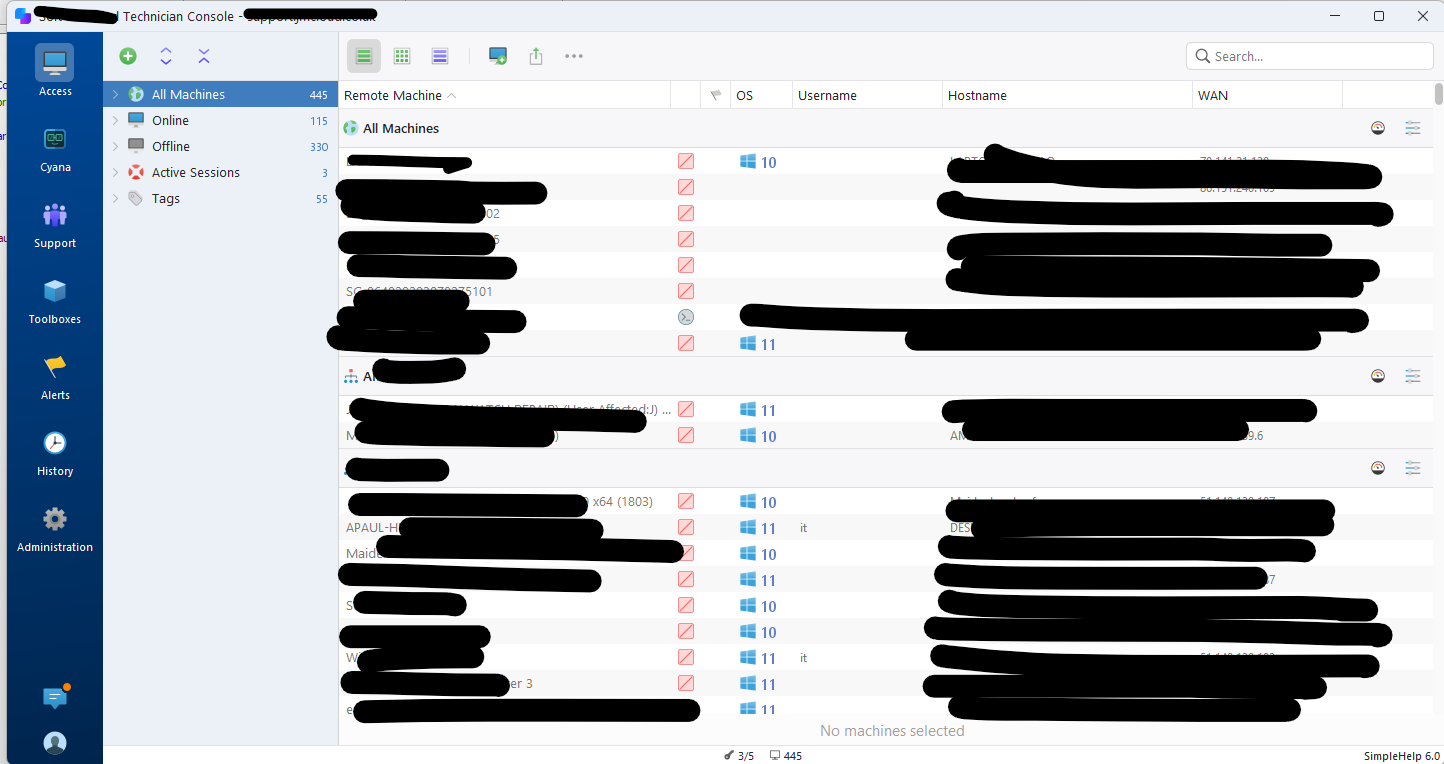
Please let us turn off the Cyana button - it is now part of the navigation and as such is basically an advertisement that gets in the way. I would also recommend not defaulting to full permissions for the AI Cyana on all user groups.
My server is also randomly loosing connection and re-connecting….
As a reminder to everyone: If you have issues, requests or questions for SimpleHelp always send them to the support mailbox at [email protected] for an official response from the support team.
This forum is moderated but not monitored frequently or regularly for support issues: You’re welcome to discuss them here with other users after reporting them to the mailbox, but this is not the official support channel so do not expect an official response especially during busy periods: We’re all working through the support inbox instead!
For everyone with license issues: Please as per the download page and update guide either link your server with your account on our site or get in touch with us before updating:** SimpleHelp - Transitioning to SimpleHelp 6.0
If you already updated, have not linked your account or cannot, and are unable to use SimpleHelp as a result let us know immediately at [email protected] so we can help you.
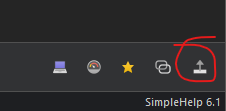
@Viv_Burrows When collapsing the machine details pane it snaps to the bottom of the Technician Console window and can be re-expanded using this button:
@Goncalo_Silva This is resolved in v6.1 which we’re testing for release right now: I don’t know what’s causing this but it seems to affect at least 10% of users with macOS machines.
@Jon_Harrell Administration; Server Features, untick Use Cyana with this server
thank you Chris for the quick response, despite this not being the main support channel. btw the remote web technician is working much better now. Multi displays are still iffy but it no longer times out and disconnects. 
Thanks Chris,
I have sent an email to support@ with further information and screenshots of the problems I am facing.
Regards
Found it, a machine must be selected to reenable.
Many thanks
All my Mac clients are also broken, which is incredibly frustrating and sloppy on the part of the Simple-Help development team. They genuinely need to conduct more rigorous testing before releasing these updates. Over the past few releases, there have been numerous regressions that have resulted in countless hours of troubleshooting and the need to revert to previous versions. I am at a point where I may not be able to renew my licenses.
The upgrade went ok - although it stuck on the license section. I copied the URL or the page it was trying to open, opened an in-private browser, logged in to Simple-Account website manually and the pasted in the URL and the license connected and started working immediately
On another note rolling back doesn’t seem to fix this Mac connection issue either. Once the agents update to 6.0 it’s game over. I am so frustrated!
is there a way to pause agent updates? so far my Macs have stayed on the old version thankfully
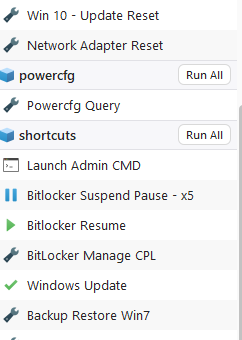
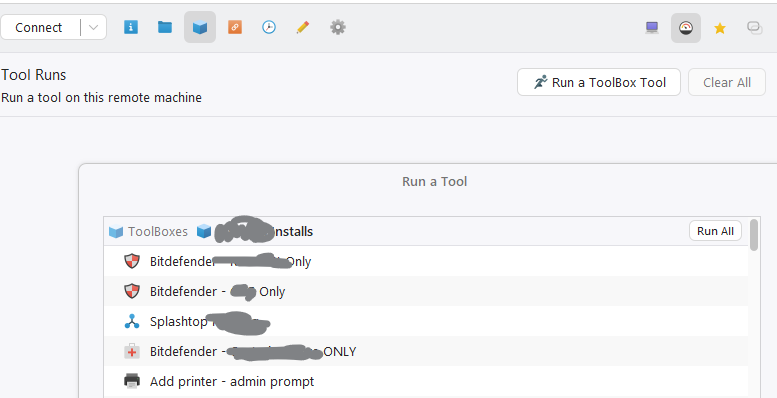
The UI for toolboxes when a technician is connected to a machine is very hard to use now. No search feature and the colors chosen make it had to quickly see the groups. I have hundreds of scripts and tools and now without a search feature I am scrolling and scrolling and scrolling. 
Worse than I thought at first… search is also missing for general toolboxes. So when you need to launch a toolbox against many machines you cannot search… and must scroll through thousands of items….
So many features we relied on have been removed.
The last one we found today: when you run a toolbox item as a technician connected there is NO feedback, no response, did it finish succesfully, what was the result, the info feedback from the script - no one knows unless they find the mini icon added… just bad UI design onver all… it is pretty but also not very usable
I had to ask support for the v6 key which they enabled on my account and it seems to work just fine.
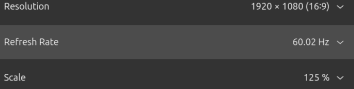
Super cool that Wayland is working. The user does have to accept the connection which makes it harder if I have to do after hours maintenance, but it does work. Not fully tested but I can connect to Pop!_OS 22.04 (x11), Ubuntu (26.04) and CachyOS. Biggest hangup is the screen gets clipped if display scale is on and there is no way to get to the right portion of the screen. Put it back down to 100% works fine when controlling my crappy laptop.
Worth taking some time on the Server Health screen to keep it locked down. I spent some time there and cleaned it all up.
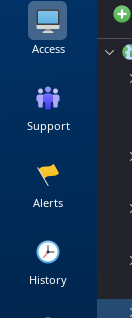
It would be nice if the left bar could be shrunk a bit or hidden.